Computer Science
How Programming Languages Work: Source Code to Machine Code #part1
Learn how programming languages work from source code to machine code. Discover compilers, interpreters, bytecode, virtual machines, memory, CPU execution, optimization, and the complete software execution pipeline.
How Programming Languages Work: From Source Code to Machine Code Explained
Part 1 — Introduction & Section 1: What Is a Programming Language?
Introduction
You write a few lines of Python.
print("Hello, World!")
You press Run.
A fraction of a second later, the words Hello, World! appear on your screen.
It feels effortless—almost magical.
But behind that single click, your computer has already begun an incredibly complex journey. Before the CPU executes even one instruction, your code is read, broken into meaningful pieces, checked for mistakes, transformed into a format the processor understands, loaded into memory, and finally executed as billions of tiny electrical signals racing through microscopic circuits.
None of this is visible while you're coding. Modern programming languages are designed to hide that complexity so developers can focus on solving problems instead of thinking in binary numbers or processor instructions. Yet understanding what happens beneath the surface is one of the biggest milestones in becoming a skilled programmer.
Think of it like sending a letter to someone who speaks a language you don't know. You write the message in English because that's what you're comfortable with. A translator converts it into the recipient's language before it's delivered. Programming languages play a similar role. They allow humans to express ideas clearly, while compilers, interpreters, and virtual machines translate those ideas into instructions a computer can actually execute.
This translation isn't a single step. It's a carefully designed pipeline built over decades of computer science research. Source code becomes tokens. Tokens become a syntax tree. The syntax tree is analyzed, optimized, translated into machine instructions, linked with libraries, loaded into memory, and finally executed by the processor.
By the time your application prints a single line of text or draws a button on the screen, thousands—or even millions—of machine instructions may have already run.
In this article, we'll follow that entire journey from beginning to end. Along the way, you'll discover how programming languages work internally, why different languages have different performance characteristics, what compilers and interpreters actually do, how virtual machines fit into the picture, and what the CPU really executes.
Once you understand this invisible pipeline, pressing Run will never feel quite as mysterious again.
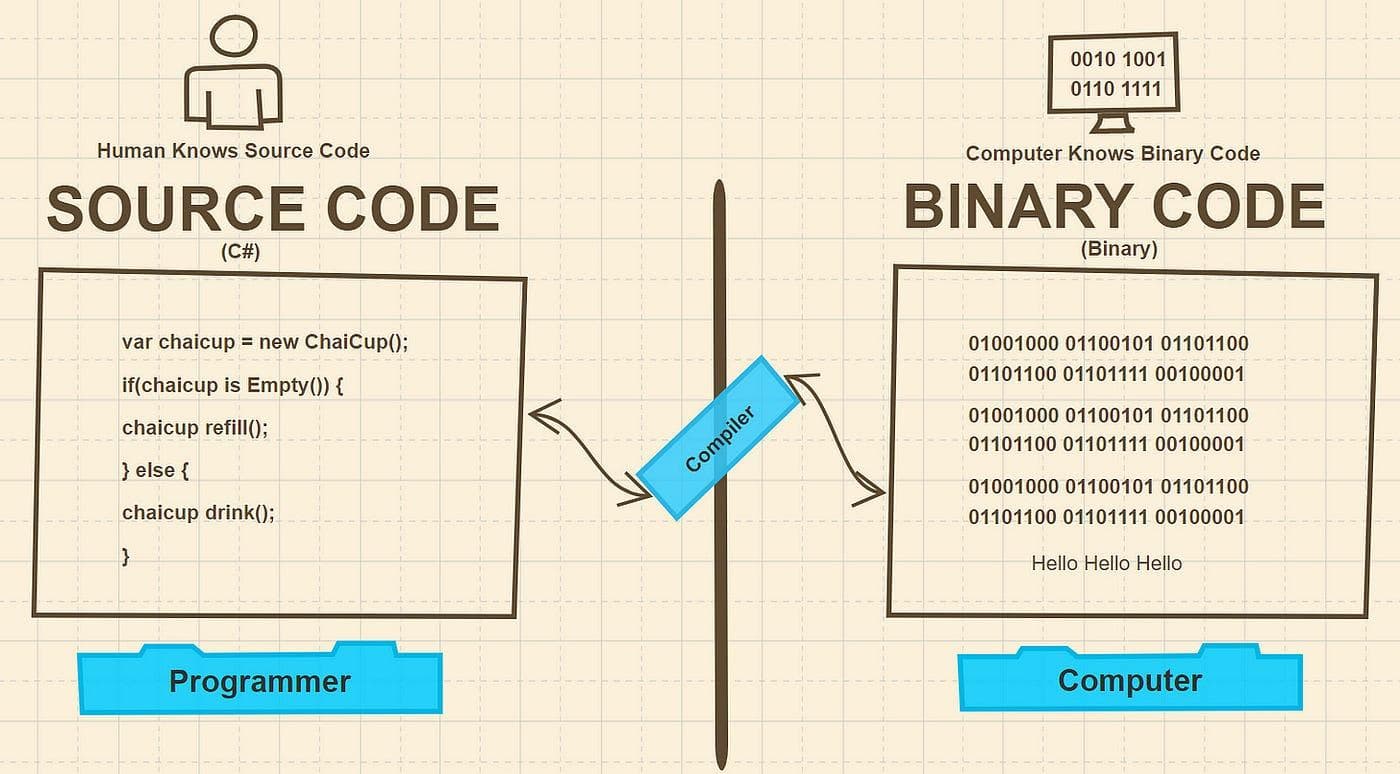
Figure 1. From a developer writing source code to the CPU executing machine instructions, a surprising amount of work happens behind the scenes.
SEO Alt Text: Programming language execution pipeline showing source code moving through compilation or interpretation before reaching the CPU.
Section 1 — What Is a Programming Language?
Imagine asking someone to bake a cake.
You probably wouldn't hand them a list of chemical reactions or describe how heat changes proteins inside an egg. Instead, you'd write something simple:
- Mix the flour and sugar.
- Add the eggs.
- Pour the batter into a pan.
- Bake for 30 minutes.
Those instructions are easy for another person to understand because they're written in a language humans naturally use.
Computers, however, don't understand instructions written this way. They don't know what "mix," "print," or "calculate" means. Every processor ultimately understands only one kind of language: machine instructions, represented internally as patterns of binary digits—zeros and ones.
Programming languages exist to bridge that gap.
They let humans express complex logic using words, symbols, and structures that are readable, maintainable, and far less error-prone than writing binary instructions by hand.
Why Humans Need Programming Languages
Early computers were programmed directly using switches, punched cards, or raw machine code.
A single mistake in a binary instruction could prevent an entire program from running correctly.
Imagine writing something like this for thousands of lines:
10110000 01100001
10110001 01100010
11001101 00100001
Technically, that's executable machine code.
Practically, it's almost impossible for humans to read, debug, or maintain.
Programming languages were invented to solve this problem.
Instead of thinking in electrical signals, developers can focus on solving problems.
For example:
Python
age = 21

if age >= 18:
    print("Adult")
JavaScript
const age = 21;

if (age >= 18) {
    console.log("Adult");
}
C
int age = 21;

if(age >= 18){
    printf("Adult");
}
Although these languages look different, they're all describing exactly the same idea.
Eventually, every one of these programs is translated into machine instructions the processor understands.
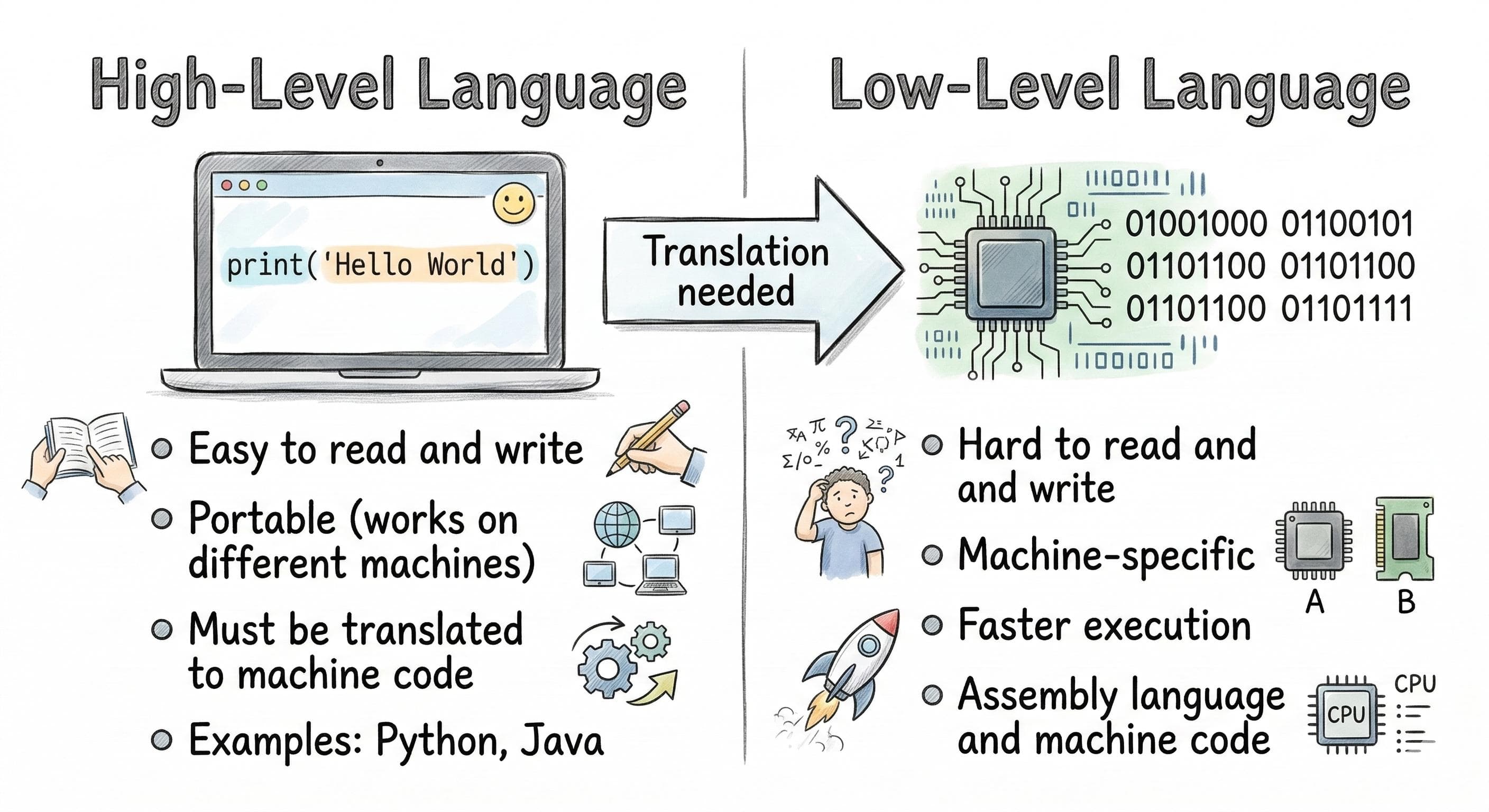
High-Level vs. Low-Level Languages
Not all programming languages operate at the same level of abstraction.
The closer a language is to human thinking, the higher its level of abstraction. The closer it is to processor instructions, the lower its level.
| High-Level Languages | Low-Level Languages |
|---|---|
| Python | Assembly |
| JavaScript | Machine Code |
| Java | |
| C# | |
| Go | |
| Rust | |
| Swift |
High-level languages prioritize readability, productivity, and safety.
For example, in Python, reading a file is remarkably simple:
with open("notes.txt") as file:
    print(file.read())
Behind those two lines are dozens of operating system calls, memory allocations, file descriptors, buffering operations, and CPU instructions.
You don't have to manage those details because the language does it for you.
Low-level languages expose much more of the underlying hardware.
Assembly language, for example, might perform a simple addition like this:
MOV AX, 5
ADD AX, 3
Even assembly is a human-friendly representation. The processor doesn't execute the words MOV or ADD; those mnemonics are converted into binary opcodes before execution.
Why CPUs Only Understand Binary
This raises an obvious question.
Why can't processors simply understand Python or JavaScript directly?
The answer lies in how computer hardware is built.
A CPU is an electronic device made from billions of tiny transistors.
Each transistor has only two stable electrical states:
- On
- Off
Those two states naturally map to:
- 1
- 0
Everything a processor does—from adding two numbers to rendering a video game—ultimately comes down to enormous sequences of binary instructions.
For example, an instruction to move a value into a processor register might look something like this:
10110000 01100001
To a human, that's unreadable.
To the processor, it's a perfectly valid instruction.
The CPU doesn't recognize concepts like variables, loops, functions, or classes.
Those are conveniences created by programming languages and translated away before execution.
A Helpful Analogy
Imagine you're traveling to another country where nobody speaks your language.
You order food by speaking English.
The waiter doesn't understand.
A translator listens, converts your request into the local language, and communicates it to the kitchen.
Programming works in much the same way:
Human Thinking
        │
        ▼
Programming Language
        │
        ▼
Compiler / Interpreter
        │
        ▼
Machine Code
        │
        ▼
CPU
The programming language isn't what the CPU understands.
It's what you understand.
The compiler or interpreter acts as the translator, ensuring your instructions become something the processor can execute accurately and efficiently.
Figure 2. Programming languages serve as a bridge between human-readable source code and machine-readable binary instructions.
Caption: Human ideas are expressed in a programming language, translated by a compiler or interpreter, and finally executed as machine code by the CPU.
SEO Alt Text: Diagram illustrating the journey from human-readable programming languages through compilation or interpretation to machine code executed by the CPU.
The Big Picture
Every programming language—whether it's Python, JavaScript, C++, Rust, Java, or Go—exists for the same fundamental reason: to help humans communicate with computers without thinking in binary.
The differences between languages lie in how they translate your code, when that translation happens, and how much work they perform on your behalf before the CPU executes the final instructions.
That invisible translation process begins with something surprisingly ordinary: a plain text file.
In the next section, we'll look at source code itself and discover why your program starts life as nothing more than carefully arranged text before it ever becomes executable.Write your article here...
About the Author
Aslam Hossain is the founder and editor of Vishtech Blog, creating accessible technology content about AI, software, startups, robotics, cybersecurity, and future innovations.
Comments
Article text preview: How Programming Languages Work: From Source Code to Machine Code Explained Part 1 — Introduction & Section 1: What Is a Programming Language? Intr